Best iPhone Photography Tips for Stunning Shots
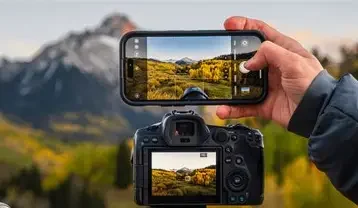
iPhones have become powerful tools for photography, and with the right techniques, you can take professional-looking photos without extra equipment. Whether you’re capturing landscapes, portraits, or everyday moments, these tips will help you make the most of your iPhone camera.
1. Use the Grid for Better Composition
Enable the grid in Settings > Camera > Grid. The grid helps you apply the rule of thirds, placing your subject off-center for more balanced and professional-looking shots.
2. Focus and Exposure Control
Tap on the screen to set focus on your subject. Use the exposure slider (sun icon) to adjust brightness manually, preventing overexposed or underexposed photos.
3. Utilize Portrait Mode
For stunning portraits, switch to Portrait Mode. iPhone’s depth sensor blurs the background, highlighting your subject. Experiment with lighting effects like Studio Light or Natural Light for creative results.
4. Take Advantage of Night Mode
iPhones automatically enable Night Mode in low-light conditions. Keep your phone steady or use a tripod for longer exposures. Night Mode captures more detail and reduces noise in dark scenes.
5. Shoot in RAW or ProRAW
For advanced editing, use RAW/Apple ProRAW formats (available on iPhone 12 Pro and later). RAW files preserve more detail and allow better control over colors, contrast, and exposure during post-processing.
6. Use Burst Mode for Action Shots
Hold the shutter button to activate Burst Mode and capture multiple frames. This is perfect for fast-moving subjects, ensuring you get the best moment without blur.
7. Experiment with Angles and Perspectives
Move around your subject, shoot from low or high angles, and experiment with reflections or framing elements. Unique perspectives make your photos stand out.
8. Master Macro Photography
Newer iPhones allow close-up shots using Macro Mode. Get close to your subject to capture textures, small details, or nature photography with sharp focus.
9. Edit with Native Tools
Use the Photos app editing tools to adjust exposure, contrast, saturation, and highlights. Subtle tweaks can dramatically improve your photo without needing third-party apps.
10. Keep Your Lens Clean
A simple but often overlooked tip: wipe your camera lens regularly. Smudges or dust can reduce sharpness and clarity.
11. Use Live Photos Creatively
Live Photos capture a few seconds of motion. You can select the best frame, apply long exposure effects, or create fun animations for social media.
12. Utilize Third-Party Photography Apps
Apps like Halide or VSCO provide manual controls for ISO, shutter speed, focus, and advanced filters. These apps give more creative flexibility than the default camera app.
FAQ: iPhone Photography Tips
Q1: Which iPhone models are best for photography?
iPhone 13, 14, 15, and newer Pro models offer advanced cameras with Night Mode, Portrait Mode, and ProRAW for professional results.
Q2: Do I need extra lenses to take great photos?
No, the built-in iPhone lenses are excellent. Optional clip-on lenses can enhance wide-angle or macro shots, but are not necessary.
Q3: How can I avoid blurry photos?
Keep your hands steady, use burst mode for moving subjects, and enable Night Mode with a tripod for low-light shots.
Q4: Should I edit photos on iPhone or computer?
Simple edits like brightness, contrast, and color balance work great on the iPhone. For advanced editing, RAW files can be adjusted on computers using software like Lightroom.
Q5: Can I shoot professional-quality videos on iPhone?
Yes. Using techniques like stabilization, proper lighting, and 4K resolution can produce cinematic-quality videos.
Mastering these tips allows anyone to take stunning iPhone photos, whether for social media, personal memories, or professional projects.