Reviews | Software Reviews – Photo Editing Tools Comparison 2026
In 2026, photo editing has become essential for students, content creators, social media influencers, photographers, and professionals. High-quality images attract attention, improve presentations, and enhance creativity. Choosing the right photo editing tool is crucial because different tools offer unique features, ease of use, and pricing. Modern photo editing software includes AI-powered enhancements, filters, layers, retouching tools, and cloud integration, making image editing faster and more efficient. This comparison helps you find the best photo editing tool for your needs in 2026.
Why Photo Editing Tools Are Important
Photo editing tools allow users to enhance images, correct errors, and add creative effects. These tools help adjust brightness, contrast, colors, and sharpness. They also provide features like background removal, AI retouching, filters, and text overlay for professional results. For students, photo editing tools are helpful in projects, presentations, and assignments. For social media users and content creators, they improve engagement by creating visually appealing images. Choosing the right tool ensures efficiency, creativity, and high-quality results.
Key Features to Look for in Photo Editing Tools
When selecting a photo editing tool, consider the following:
- Ease of Use: User-friendly interface suitable for beginners and professionals.
- Editing Options: Adjustments for brightness, contrast, colors, filters, and layers.
- AI Tools: Automatic enhancements, background removal, and smart retouching.
- Export Options: Ability to save images in various formats and resolutions.
- Cloud Integration: Save projects online for access from multiple devices.
- Templates & Effects: Ready-made templates and effects for social media posts.
- Pricing: Free, freemium, or subscription-based options for different budgets.
Top Photo Editing Tools 2026
Here is a comparison of the best photo editing software in 2026:
- Adobe Photoshop – Industry-standard tool with advanced editing, AI enhancements, layer-based editing, and professional templates. Best for professionals and advanced users.
- Canva – Easy-to-use web-based editor with templates, filters, and AI-powered design tools. Ideal for students and social media content creators.
- Luminar Neo – AI-powered desktop software for creative editing, sky replacement, and professional photo enhancement.
- GIMP – Free and open-source software offering layer-based editing, filters, and plugins for custom workflows. Good for budget-conscious users.
- Affinity Photo – One-time purchase professional editing software with RAW support, layers, and advanced retouching tools.
- Fotor – Online and desktop editor with templates, filters, and AI photo enhancement. Great for beginners.
- Pixlr – Browser-based tool with AI editing, layers, and filters. Lightweight and fast for casual users.
- Photopea – Free web-based alternative to Photoshop with layer editing, filters, and professional tools.
- Snapseed – Mobile-friendly photo editing app with precise controls, filters, and selective editing features.
- VSCO – App-based editor popular for filters, presets, and easy sharing on social media.
Comparison Table
| Software | Platform | AI Features | Ease of Use | Pricing | Best For |
|---|---|---|---|---|---|
| Adobe Photoshop | Windows, Mac | Yes | Medium-High | Subscription | Professionals |
| Canva | Web, Windows, Mac | Yes | Easy | Free / Paid | Students, Social Media |
| Luminar Neo | Windows, Mac | Yes | Medium | One-Time | Creative Editing |
| GIMP | Windows, Mac, Linux | Limited | Medium | Free | Budget / Open Source |
| Affinity Photo | Windows, Mac | Some | Medium | One-Time | Professionals |
| Fotor | Web, Windows, Mac | Yes | Easy | Free / Paid | Beginners |
| Pixlr | Web | Yes | Easy | Free / Paid | Casual Users |
| Photopea | Web | Limited | Medium | Free | Photoshop Alternative |
| Snapseed | Mobile | Limited | Easy | Free | Mobile Editing |
| VSCO | Mobile | Some | Easy | Free / Paid | Social Media |
Why Choosing the Right Photo Editing Tool Matters
The right photo editing tool saves time, enhances creativity, and ensures professional-quality results. Students benefit from easy-to-use editors like Canva and Fotor, while professionals require advanced features in Photoshop, Luminar Neo, or Affinity Photo. Mobile users can rely on Snapseed and VSCO for editing on the go. AI-powered tools simplify complex tasks like background removal, retouching, and color correction, making it easier to create high-quality images efficiently.
Tips for Using Photo Editing Software Effectively
- Start with beginner-friendly tools if you are new to editing.
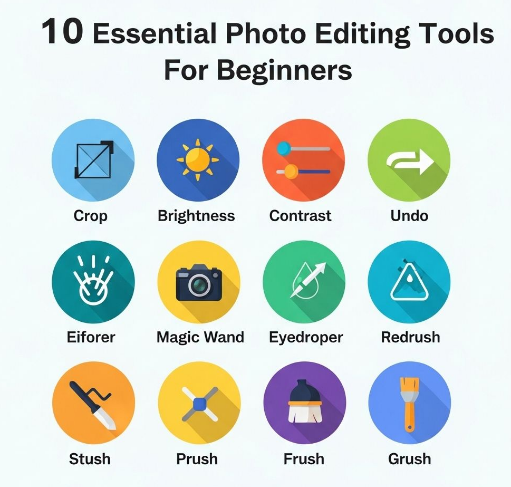
- Learn basic features like cropping, color correction, and filters before exploring advanced tools.
- Use AI enhancements to save time but always review the edits.
- Organize your files and projects for easy access.
- Export images in high resolution for best results.
- Explore tutorials, templates, and presets to improve efficiency.
- Combine multiple tools if needed, for example, Canva for design and Photoshop for advanced editing.
Frequently Asked Questions (FAQ)
1. Are photo editing tools free? Some tools like GIMP, Photopea, and Snapseed are free, while others require subscriptions or one-time payments.
2. Can beginners use professional tools like Photoshop? Yes, but it may take time to learn; beginner-friendly alternatives like Canva are easier to start with.
3. Are AI features necessary? AI tools simplify tasks like background removal and retouching, saving time and effort.
4. Can I edit photos on mobile devices? Yes, apps like Snapseed and VSCO are mobile-friendly and powerful.
5. Is cloud integration important? Yes, cloud saving allows access from multiple devices and prevents data loss.
6. Can these tools be used for social media content? Absolutely, most tools offer templates, filters, and resizing options for social media.
Conclusion
The best photo editing tools in 2026 provide a combination of ease-of-use, advanced features, and AI-powered enhancements. Tools like Adobe Photoshop and Luminar Neo are ideal for professional editing, while Canva, Fotor, and Pixlr cater to students and casual users. Mobile apps like Snapseed and VSCO make editing on-the-go easy and efficient. Choosing the right tool improves creativity, productivity, and visual quality for personal projects, academic work, or social media content. By understanding features, pricing, and ease of use, users can select the best photo editing software to meet their needs in 2026.