Best browser extensions for work
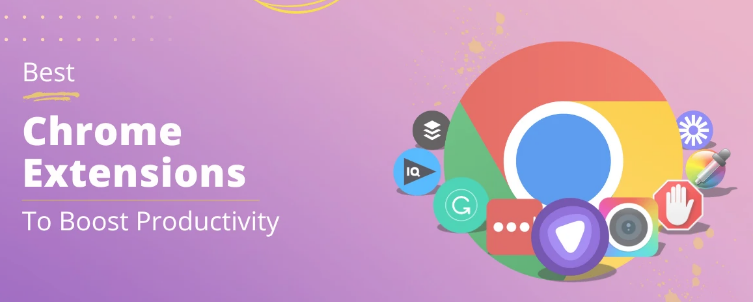
In 2026, browser extensions have become essential tools for improving productivity, organization, and workflow. These small software add-ons enhance the functionality of browsers like Chrome, Edge, and Firefox, allowing users to save time, manage tasks efficiently, and simplify daily work. Whether you are a student, freelancer, or professional, the right browser extensions help with note-taking, project management, time tracking, email organization, research, and collaboration. Modern extensions are easy to install, user-friendly, and often integrate with other tools and apps for seamless work management.
What Are Browser Extensions
Browser extensions are small programs that add extra features to web browsers. They improve the browsing experience by providing tools for productivity, security, organization, and automation. Extensions can block ads, manage passwords, schedule tasks, track time, take screenshots, or simplify online research. Many work with popular platforms like Google Workspace, Microsoft Office, Slack, Zoom, and Trello. By using browser extensions, users can streamline repetitive tasks, stay organized, and increase efficiency without leaving the browser.
Benefits of Using Browser Extensions for Work
Using browser extensions for work provides several advantages. They save time by automating repetitive tasks. Extensions improve productivity by offering quick access to tools and apps directly in the browser. They help organize tasks, emails, and schedules efficiently. Extensions enhance collaboration by integrating with project management and communication platforms. Many extensions also improve online security and privacy. They are easy to install, lightweight, and can be customized to fit personal or professional workflow needs.
Types of Browser Extensions for Work
There are different types of browser extensions to suit various work needs. Productivity extensions help with task management, note-taking, and time tracking. Communication extensions simplify messaging, email management, and virtual meetings. Research extensions assist in content curation, bookmarking, and information saving. Security extensions protect online accounts, passwords, and data. Collaboration extensions connect users to shared documents, project boards, and cloud tools. Each type of extension adds value by making daily work faster, simpler, and more organized.
Top 10 Browser Extensions for Work 2026
Here is a list of the best browser extensions for work with key features:
- Grammarly – Real-time grammar, spelling, and style checking for emails, documents, and online writing.
- Todoist – Task management and to-do lists with reminders, project organization, and integrations with calendars.
- LastPass – Password manager that securely stores login credentials and autofills passwords.
- Evernote Web Clipper – Save web pages, articles, and screenshots directly to Evernote for easy access and organization.
- Zoom Scheduler – Schedule Zoom meetings directly from the browser with calendar integration.
- Trello – Manage tasks and projects visually with boards, lists, and cards; integrates with other tools.
- StayFocusd – Limit time on distracting websites to improve concentration and productivity.
- Pocket – Save articles, videos, and webpages to view later, even offline.
- Microsoft Editor – Advanced grammar and style checker for Microsoft Office, emails, and online writing.
- Notion Web Clipper – Save web content directly to Notion for notes, research, and project organization.
Features to Look for in Browser Extensions
When choosing extensions for work, consider these features. Productivity tools should offer task tracking, reminders, and integrations with calendars or apps. Communication extensions should support email organization, messaging, or meeting scheduling. Research extensions should allow easy saving, annotating, and sharing of online content. Security extensions should encrypt data and store passwords safely. Collaboration extensions should integrate with cloud platforms, project management tools, and shared documents. The best extensions are lightweight, easy to use, and enhance workflow without slowing down the browser.
Why Browser Extensions Are Important
Browser extensions are important because they streamline work, reduce repetitive tasks, and improve efficiency. They allow users to complete tasks faster, stay organized, and focus on priority work. Without extensions, users would need to switch between multiple apps or platforms, wasting time and reducing productivity. Extensions centralize tools in the browser, making it easier to manage emails, meetings, research, projects, and tasks. For students, professionals, freelancers, and businesses, browser extensions are indispensable for modern digital work.
Tips for Using Browser Extensions Effectively
- Install only necessary extensions to avoid slowing down the browser.
- Use productivity extensions to organize tasks, projects, and schedules.
- Integrate extensions with other apps and cloud platforms for seamless workflow.
- Keep extensions updated for security and new features.
- Test extensions to ensure compatibility with your browser and other tools.
- Combine multiple extensions for full workflow optimization without clutter.
Frequently Asked Questions (FAQ)
1. Are browser extensions safe to use? Yes, extensions from trusted sources like Chrome Web Store or Microsoft Edge Add-ons are generally safe.
2. Can I use extensions on multiple browsers? Some extensions are cross-platform, but others are browser-specific.
3. Are all extensions free? Many offer free versions; premium features may require subscriptions.
4. Do extensions slow down the browser? Installing too many extensions can affect performance; keep only necessary ones.
5. Can browser extensions improve productivity? Yes, they automate tasks, organize projects, and reduce distractions.
6. Can I uninstall extensions anytime? Yes, extensions can be removed or disabled from browser settings anytime.
Conclusion
The best browser extensions for work in 2026 help students, freelancers, professionals, and businesses save time, stay organized, and increase productivity. They provide tools for task management, communication, research, collaboration, and security directly in the browser. The top 10 extensions listed above offer the most essential features for modern work, from grammar checking to project organization, password management, and content saving. Free and premium options are available to suit different users, and modern extensions integrate seamlessly with other apps and tools. By using browser extensions effectively, anyone can optimize their workflow, reduce distractions, and work smarter in the digital era