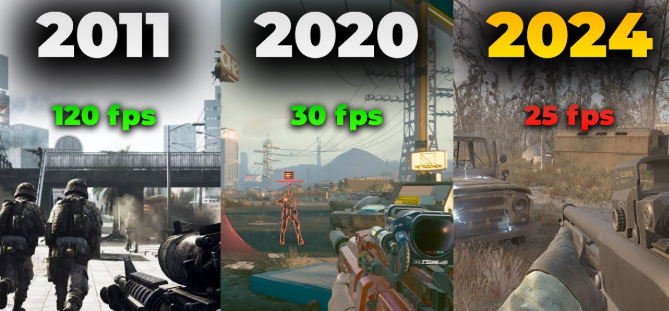
How to play without lag
Mobile gaming in 2026 has become more exciting and competitive than ever, but lag can ruin your experience. Lag occurs when your game slows down, stutters, or freezes, making it hard to play smoothly. Learning how to play mobile games without lag is essential for enjoying action, battle royale, racing, or multiplayer games. By optimizing your device, connection, and game settings, you can achieve smooth and responsive gameplay.
Why Lag Happens in Mobile Games
- Slow Internet Connection – Online games require stable Wi-Fi or mobile data
- Background Apps – Too many apps running reduce performance
- Low Device Performance – Older or low-end devices may struggle with high-end games
- Overheating – Phones can throttle performance when too hot
- High Graphics Settings – Maximum graphics can cause frame drops on mid-range devices
Tips to Play Mobile Games Without Lag
- Use a Stable Internet Connection – Wi-Fi is preferred over mobile data; ensure low ping for online games
- Close Background Apps – Free up RAM and processing power for your game
- Lower Graphics Settings – Reduce resolution, shadows, and effects to improve FPS
- Enable Game Mode – Most phones have a game booster to optimize performance
- Keep Device Cool – Avoid long sessions on hot surfaces; use a fan or cooling case if needed
- Clear Cache – Regularly clear app cache to free up memory and storage
- Update Software – Keep your phone OS, drivers, and game apps updated
- Use a High-Performance Device – Mid-range or flagship devices handle high-end games better
- Limit Notifications – Turn off notifications to avoid interruptions and reduce lag
- Restart Device Before Playing – Refreshes RAM and improves performance
Benefits of Reducing Lag
- Smoother Gameplay – Enjoy fast, responsive controls and better visuals
- Better Reaction Time – Essential for competitive games like battle royale or racing
- Longer Device Lifespan – Prevents overheating and reduces hardware strain
- Improved Fun – Less frustration, more immersion, and better game experience
- Competitive Advantage – Lag-free gameplay gives an edge over other players in multiplayer games
Recommended Tools and Apps
- Game Boosters – Optimize RAM, CPU, and GPU for better performance
- Wi-Fi Analyzer Apps – Check network strength and reduce ping
- Battery Saver / Cooling Apps – Prevent overheating during long sessions
- FPS Counter Apps – Monitor frames per second for smoother gameplay
Frequently Asked Questions (FAQ)
1. Why does my mobile game lag even with good internet?
Lag can happen due to too many apps running in the background, low RAM, overheating of the phone, or very high graphics settings in the game.
2. Can I play high-end games on a mid-range phone?
Yes, you can. Lowering graphics settings, closing background apps, and using game booster modes can help your phone run high-end games smoothly.
3. Does clearing cache help reduce lag?
Yes, clearing the cache frees up memory and storage, which improves game performance and reduces stuttering.
4. Are game booster apps safe to use?
Most official game booster apps from trusted app stores are safe. They help optimize CPU, RAM, and GPU for smoother gameplay.
5. How often should I restart my phone for gaming?
Restart your phone before long gaming sessions. This refreshes the RAM, closes unnecessary background processes, and reduces lag.
6. Does overheating affect gaming performance?
Yes, when your phone gets too hot, it slows down performance to prevent damage. Keep your device cool to avoid lag.
7. Should I turn off notifications while gaming?
Yes, disabling notifications prevents interruptions and reduces background activity, which helps maintain smooth gameplay.
8. Can low internet speed cause lag in offline games?
No, offline games do not require internet, so lag in these games is usually caused by device performance or high graphics settings.
Conclusion
Playing mobile games without lag in 2026 is possible by optimizing your device, connection, and game settings. By using stable internet, closing background apps, lowering graphics, enabling game mode, and keeping your device cool, you can enjoy smooth and responsive gameplay. Lag-free gaming improves reaction time, enhances fun, and gives a competitive advantage in online multiplayer games. Following these tips ensures that your favorite mobile games run efficiently, keeping the experience enjoyable and immersive anytime, anywhere.