Top Productivity Apps in 2026
In 2026, productivity apps have become essential tools for students, professionals, and businesses to manage time, organize tasks, and boost efficiency These apps help users plan projects, track goals, collaborate with teams, and improve personal productivity Productivity apps range from note-taking tools and task managers to calendar apps, focus timers, and project management software Using the right productivity app saves time, reduces stress, and ensures tasks are completed on schedule
What Are Productivity Apps
Productivity apps are software applications designed to help users manage tasks, organize schedules, track goals, and improve work efficiency These apps include features such as to-do lists, reminders, project boards, note-taking, calendar integration, and team collaboration Productivity apps can be used on smartphones, tablets, and computers, providing access across multiple devices Many apps also include AI-powered features that suggest task prioritization, automate repetitive work, and provide insights to improve productivity
Why Productivity Apps Are Important
Productivity apps help users stay organized and focused They reduce the chance of missing deadlines, forgetting tasks, or feeling overwhelmed by work Students can plan assignments and track study schedules Professionals can manage projects, communicate with teams, and meet deadlines Businesses can improve workflow, coordinate teams, and monitor progress Using productivity apps ensures tasks are completed efficiently while providing insights into personal or team performance
Key Features to Look for in Productivity Apps
When choosing productivity apps, look for task management tools to organize and prioritize work Note-taking options should allow easy access, search, and synchronization across devices Calendar integration helps manage deadlines and reminders Collaboration features enable teams to work together in real time AI-powered suggestions provide insights and automate repetitive tasks Customization options allow users to adjust layouts, colors, and notifications Cloud storage ensures that tasks and files are accessible from anywhere Security features protect sensitive data and ensure privacy
Top Productivity Apps in 2026
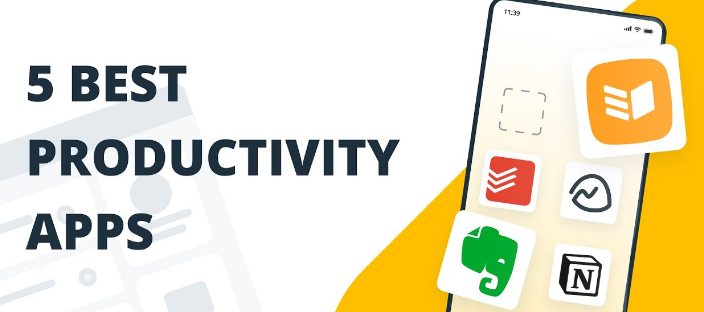
Notion is an all-in-one workspace for note-taking, task management, and project tracking It offers templates, databases, AI-powered suggestions, and collaboration features Todoist is a task management app for creating to-do lists, setting priorities, and tracking progress It provides reminders, project organization, and cross-platform access Microsoft To Do helps manage daily tasks, integrates with Microsoft Office apps, and provides smart suggestions Trello is a visual project management tool using boards, lists, and cards for team collaboration It supports deadlines, attachments, and integrations with other apps Asana is a project management platform for teams to plan tasks, track progress, and coordinate projects It includes timeline views, task dependencies, and collaboration tools Evernote is a note-taking app with text, images, audio, and document organization It supports cloud sync, tags, and AI-powered search ClickUp is a productivity platform for task management, goal tracking, and team collaboration It provides templates, dashboards, and automations Google Keep is a simple note-taking and reminder app with color coding, voice notes, and cloud sync Forest is a focus timer app that encourages concentration by growing a virtual tree while staying off the phone Freedom is a distraction-blocking app to limit time on websites and apps and improve focus
Comparison of Top Productivity Apps
Notion works on Windows, Mac, Android, and iOS, offers AI features, templates, collaboration, free and premium plans, ideal for students and professionals Todoist is cross-platform, easy to use, integrates with calendars, free basic plan, subscription for premium features Trello provides visual boards for projects, supports team collaboration, free and paid plans, suitable for remote teams Asana is web and mobile-based, includes advanced project management features, subscription-based, ideal for businesses Evernote supports multiple devices, note organization, free and premium options, best for research and study ClickUp is cloud-based, all-in-one platform, subscription plans, perfect for teams and project tracking Google Keep is lightweight, free, cloud-synced, great for quick notes Forest works on mobile, focus timer gamification, free and paid versions, excellent for students and personal focus Freedom supports Windows, Mac, iOS, and Android, blocks distractions, subscription-based, best for improving concentration
Benefits of Using Productivity Apps
Productivity apps help users save time, stay organized, track goals, improve focus, collaborate with teams, and reduce stress They provide AI-powered insights, reminders, and automation to streamline work Students can plan assignments and exams efficiently Professionals can manage projects and deadlines Businesses can monitor team performance and workflow Productivity apps encourage effective time management, enhance creativity, and support work-life balance
Tips for Using Productivity Apps Effectively
Identify your main productivity needs such as task management, focus, or collaboration Choose apps that integrate with your current tools Explore free versions before subscribing Learn to use AI features to automate repetitive work Organize tasks by priority and deadline Sync apps across devices to access work anywhere Set daily and weekly goals to track progress Limit distractions using apps like Forest or Freedom Combine multiple apps if needed for maximum efficiency
Frequently Asked Questions (FAQ)
Are productivity apps free Many productivity apps offer free versions with optional subscriptions for premium features Can productivity apps improve time management Yes, they help users organize tasks, set deadlines, and track progress Which apps are best for students Notion, Todoist, Google Keep, and Forest are ideal for students Can businesses use productivity apps Yes, apps like Asana, Trello, ClickUp, and Notion help teams collaborate efficiently Do productivity apps work offline Some apps offer offline access while others require internet for synchronization Can productivity apps integrate with other tools Most apps integrate with calendars, cloud storage, email, and project management platforms
Conclusion
Top productivity apps in 2026 provide tools to organize tasks, track goals, improve focus, and collaborate efficiently Students, professionals, and businesses can use apps like Notion, Todoist, Microsoft To Do, Trello, Asana, Evernote, ClickUp, Google Keep, Forest, and Freedom to enhance productivity Cloud-based features, AI-powered suggestions, automation, and cross-platform access make these apps essential for modern life Productivity apps save time, reduce stress, improve organization, and enable smarter work habits Choosing the right productivity apps ensures efficiency, focus, and success in school, work, and personal projects in 2026