Video editing online tools
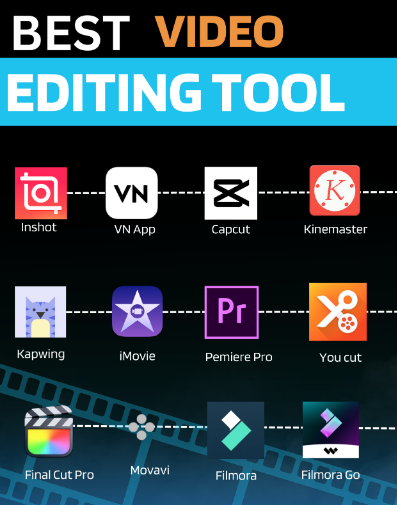
Editing videos used to require expensive software and powerful computers. Today, you can edit videos directly in your web browser without installing heavy programs. Many online video editing tools offer free plans and simple features that make video creation easy for beginners. Whether you are creating YouTube videos, school projects, social media clips, business presentations, or short reels, online video editors help you edit quickly and efficiently from any device with internet access.
If you are looking for the best free online video editing tools, here are some popular and reliable options that are easy to use and beginner-friendly.
Clipchamp is a simple and powerful browser-based video editor owned by Microsoft. It is ideal for YouTube videos, social media clips, and basic video editing. It offers a drag-and-drop timeline, trimming and splitting tools, smooth transitions, text and filters, audio editing, and export options up to 1080p on the free plan. Clipchamp is a great choice for beginners because it balances ease of use with useful editing features.
Kapwing is another popular online video editor designed for fast and creative content creation. It is especially useful for memes, short videos, and social media posts. Kapwing offers automatic subtitles, animated text, templates, music layers, and support for many video formats. Its clean interface makes it very easy to understand, even for first-time users.
WeVideo is a cloud-based video editing platform that works well for school projects, tutorials, and business videos. It supports multi-track editing, screen recording, stock media libraries, voiceover recording, and green screen effects. Because it is cloud-based, you can access your projects from different devices. It is a strong option for users who want more advanced features without installing software.
FlexClip is a beginner-friendly online video maker focused on speed and simplicity. It is ideal for marketing videos, promotional content, and slideshows. FlexClip provides ready-made templates, animated text, transitions, background music, and different aspect ratios for platforms like YouTube and Instagram. It is perfect for users who want to create polished videos quickly.
InVideo is an online video editor that offers smart templates and AI-powered tools. It is suitable for advertisements, promotional videos, and storytelling content. InVideo includes text-to-video features, customizable templates, and a large stock media library. It helps users create professional-looking videos in less time.
With online video editing tools, you can cut, trim, and merge clips, add music and voiceovers, insert subtitles and titles, apply filters and transitions, and export videos for platforms like YouTube, Instagram, and TikTok. You can also create slideshows and promotional videos without technical knowledge.
To get the best results, use a stable internet connection for smooth editing. Organize your video clips before starting your project. Export your video in the correct resolution, such as 1080p for YouTube or 720p for social media. Save your projects regularly if the platform supports cloud storage. Using templates can also save time and improve the overall look of your video.
Frequently Asked Questions (FAQ)
1. Are online video editors free?
Most online video editing tools offer free plans with basic features. Some advanced tools or high-quality exports may require a paid upgrade.
2. Do online video editors work on mobile devices?
Many platforms are mobile-friendly, but editing on a laptop or desktop usually provides better control and easier navigation.
3. Can I upload my own music?
Yes, most online video editors allow you to upload your own audio files for background music or voiceovers.
4. Do free versions include watermarks?
Some free plans add watermarks to exported videos. You may need a premium plan to remove them.
5. How long can my videos be?
Free plans often have a maximum duration limit, usually between 5–10 minutes per video. Premium plans allow longer videos.
6. Are online video editors safe?
Reputable platforms use secure connections, but always choose trusted websites and avoid uploading highly sensitive content.
7. Do I need technical skills to use online video editors?
No, most online editors are beginner-friendly with drag-and-drop features, templates, and simple timelines.
Final Summary
Online video editing tools have made video creation simple and accessible for everyone. Whether you are a student, content creator, business owner, or beginner, platforms like Clipchamp, Kapwing, WeVideo, FlexClip, and InVideo provide powerful editing features directly in your browser. You no longer need expensive software to create high-quality videos. With the right tool and a little practice, anyone can edit professional-looking videos quickly and easily.