Best free apps for students
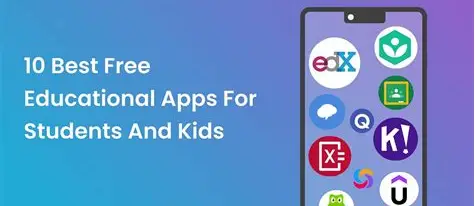
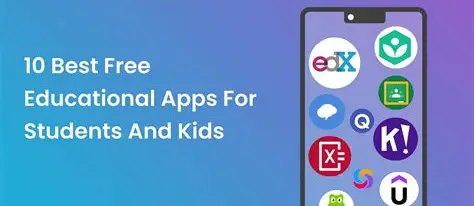
Being a student today means juggling classes, assignments, notes, schedules, and projects — all while balancing social life and habits. Luckily, there are many free apps and software that help students stay organized, study better, collaborate with peers, and improve productivity — all without spending money. Here’s a curated list of the best free apps for students in 2026:
1. Google Drive – Cloud Storage & File Access
Google Drive gives you free cloud storage for documents, presentations, photos, and PDFs. You can access files from any device, share folders with classmates, and collaborate in real time.
2. Google Docs – Notes, Essays & Collaboration
Google Docs lets you create and edit essays, reports, and notes online. Multiple users can work on the same document simultaneously, making group work easier.
3. Google Sheets – Data, Schedules & Budgets
Google Sheets is great for organizing data, making schedules, tracking expenses, and even creating simple charts for presentations.
4. Notion – All‑in‑One Organizer
Notion combines notes, to‑do lists, calendars, and databases. Students can make customized study planners, trackers, and project boards in one place.
5. Microsoft OneNote – Handwritten & Typed Notes
OneNote lets you organize notes into notebooks, sections, and pages. You can type, draw, insert photos, and sort content intuitively.
6. Todoist – To‑Do Lists & Reminders
Todoist helps you create to‑do lists, set deadlines, and get reminders for assignments, tests, and study sessions.
7. Khan Academy – Free Courses & Practice
Khan Academy offers free lessons and exercises in math, science, history, economics, and more. It’s especially helpful for concept revision and practice.
8. Quizlet – Flashcards & Study Sets
Quizlet lets you create flashcards, study with games, and take practice quizzes — great for memorizing terms and concepts quickly.
9. Wolfram Alpha – Smart Answers & Calculations
Wolfram Alpha can solve math problems, generate step‑by‑step solutions, and answer questions based on real data — useful for STEM subjects.
10. Google Calendar – Class Schedules & Alerts
Google Calendar helps you plan classes, assignments, exams, and reminders. You can set notifications so you never miss deadlines.
11. Forest – Stay Focused & Avoid Distractions
Forest helps you stay productive by growing a virtual tree while you work. If you exit the app, the tree dies — a fun method to build focus.
12. Grammarly – Grammar & Writing Help
Grammarly checks spelling, grammar, punctuation, and writing style. It helps improve essays, reports, and emails right from your browser or phone.
13. Slack – Group Projects & Chat
Slack lets students communicate, organize messages by topic (channels), and share files — ideal for team assignments and discussions.
14. Zoom – Online Classes & Study Groups
Zoom is widely used for virtual classes, group discussions, tutoring, and remote learning sessions.
FAQ: Free Apps for Students
Q1: Are these apps truly free?
Yes! All the apps listed offer free versions. Some may have optional premium upgrades, but the core features useful for students are available at no cost.
Q2: Do these apps work offline?
Apps like OneNote and Google Docs offer offline access with syncing once you’re online again. Features vary by app.
Q3: Which app is best for taking notes?
Notion and OneNote are excellent for detailed note organization, combining text, images, and lists in one place.
Q4: Can these apps help with group projects?
Yes — Google Docs, Slack, and Zoom are especially helpful for collaboration and communication.
Q5: Are there apps for studying and exam prep?
Yes — Khan Academy, Quizlet, and Wolfram Alpha are powerful learning tools for revision, quizzes, and problem solving. Using the right productivity and study apps can make a big difference in how efficiently you manage schoolwork, deadlines, and learning goals. Whether you’re taking classes, preparing for exams, or collaborating on projects, these free tools give you the power to stay organized and focused without spending money.