Top 10 software for students 2027
In 2026, students rely heavily on software to manage studies, projects, assignments, and online learning. The right software helps improve productivity, organization, collaboration, and learning efficiency. From note-taking and document creation to coding and time management, software tools are essential for students at all levels. Whether you are in school, college, or online courses, using the best software ensures that your work is accurate, organized, and completed faster. This list highlights the Top 10 Software for Students in 2026, focusing on usefulness, accessibility, and ease of use.
What Is Student Software
Student software is any application or program that helps students with academic tasks. These tools include word processors, spreadsheets, presentation software, note-taking apps, learning platforms, and study aids. Modern student software often includes cloud storage, collaboration features, AI assistance, and mobile compatibility. Using software efficiently allows students to complete assignments, prepare for exams, organize schedules, and improve learning outcomes.
Benefits of Using Software for Students
Software for students provides many advantages. It helps with organization by storing notes, files, and schedules digitally. Collaboration tools allow group projects to be managed online. Learning software enhances understanding of subjects with tutorials, simulations, and interactive exercises. Writing and presentation software ensures professional-quality documents and presentations. Study software also saves time, improves accuracy, and encourages creativity. Using the right tools can make learning easier, faster, and more enjoyable.
Features to Look for in Student Software
When choosing software for students, consider these features:
- Ease of Use: Simple interface suitable for students of all ages.
- Cross-Platform: Works on Windows, Mac, Android, or iOS devices.
- Collaboration: Supports group projects and file sharing.
- Cloud Storage: Saves work online to prevent data loss.
- Productivity Tools: Includes templates, calculators, and task management.
- Learning Assistance: Offers tutorials, AI suggestions, and practice exercises.
- Security: Protects personal and academic data.
Top 10 Software for Students 2026
Here is a list of the best student software with key features:
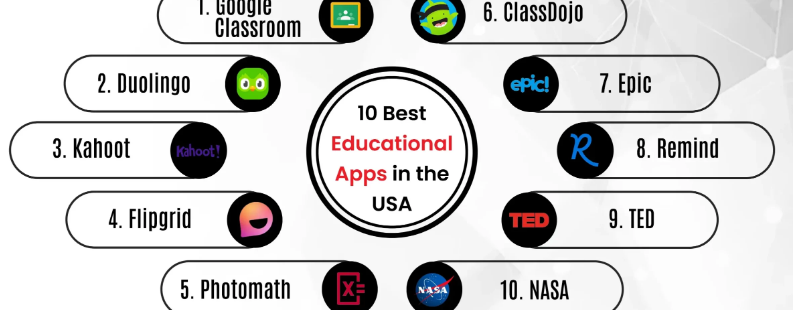
- Microsoft Office 365 – Word, Excel, PowerPoint, and OneNote for document creation, presentations, and note-taking.
- Google Workspace for Education – Docs, Sheets, Slides, Drive, and Classroom for collaboration, cloud storage, and online learning.
- Notion – All-in-one workspace for notes, projects, schedules, and study planning with templates and AI assistance.
- Evernote – Note-taking software with organization, tagging, and cloud syncing for easy access.
- Zoom – Online meeting and classroom software for video lectures, group discussions, and virtual learning.
- Grammarly – AI-powered writing assistant to improve grammar, style, and clarity in assignments and essays.
- Wolfram Alpha – Powerful computational software for solving math, science, and engineering problems.
- Canva – Design software for creating posters, presentations, infographics, and social media content.
- Quizlet – Learning tool for creating flashcards, quizzes, and interactive study sets for exams.
- Visual Studio Code – Lightweight coding software for students learning programming, supporting multiple languages and extensions.
Why Software Is Important for Students
Software is important because it improves learning efficiency, organization, and productivity. Students can complete assignments faster, collaborate with peers online, and access resources from anywhere. Tools like Grammarly and Wolfram Alpha help improve accuracy and understanding, while Canva and Notion encourage creativity and planning. Modern student software is accessible, affordable, and essential for digital learning environments.
Tips for Using Student Software Effectively
- Choose software suitable for your study level and subjects.
- Organize files, notes, and schedules to avoid confusion.
- Use cloud-based tools to access work from multiple devices.
- Explore templates and features to save time and improve quality.
- Combine multiple tools for writing, learning, and organization.
- Practice regularly with study tools to maximize learning efficiency.
Frequently Asked Questions (FAQ)
1. Is student software free? Many tools offer free versions; premium versions provide advanced features.
2. Can beginners use these software tools? Yes, most are user-friendly with tutorials and guides.
3. Are these software tools available on mobile? Most modern student software supports Windows, Mac, Android, and iOS devices.
4. Do these tools help with collaboration? Yes, tools like Google Workspace and Notion allow group work and file sharing.
5. Can AI assist students using software? Yes, AI features like Grammarly and Notion AI provide suggestions and improve productivity.
6. How do students choose the best software? Consider usability, features, compatibility, and your specific academic needs.
Conclusion
The Top 10 Software for Students in 2026 improves learning, productivity, and organization. From Microsoft Office 365 and Google Workspace to Notion, Grammarly, and Canva, these tools help students manage assignments, study effectively, collaborate with peers, and complete projects professionally. Using student software ensures better academic performance, creativity, and efficiency. Free and premium options are available to suit different needs. With the right software, students can save time, enhance learning, and succeed in their studies in 2026 and beyond.