Beginner’s guide to online tools
Online tools are websites or web apps that help you complete tasks directly in your browser You do not always need to install software on your computer You just open the website sign in and start working These tools are useful for students bloggers business owners developers designers and anyone who uses the internet
Online tools save time increase productivity and make work easier even for beginners
What Are Online Tools
Online tools are internet based applications that help you perform tasks such as writing editing designing coding converting files managing projects and communicating with teams
They work through cloud technology which means your files and data are stored online instead of only on your device You can access them from anywhere using your account
Types of Online Tools
There are many categories of online tools
Writing and editing tools help create and correct content
Design tools help create graphics presentations and posters
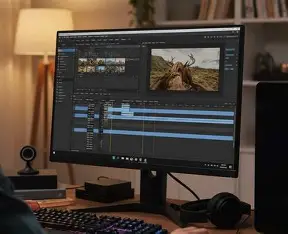
Video editing tools help edit videos online
Cloud storage tools save files safely
Collaboration tools allow teams to work together
Learning tools help students understand new topics
Developer tools help with coding and testing
Popular Online Tools for Beginners
Here are some easy and widely used online tools
OpenAI provides ChatGPT which helps in writing answering questions learning coding and generating ideas
Canva allows users to create posters resumes presentations and social media posts directly in the browser
Google offers tools like Google Docs for writing documents Google Sheets for data management and Google Drive for storing files
Grammarly helps improve grammar spelling and writing clarity
Zoom Video Communications provides Zoom for online meetings and classes
These tools are beginner friendly and widely trusted
Benefits of Using Online Tools
Online tools save storage space because you do not install heavy software They allow you to work from any device They update automatically without manual downloads They improve teamwork through sharing options Many tools offer free versions for beginners
They are especially helpful for students and remote workers
How to Start Using Online Tools
Choose one tool based on your need
Create a free account using your email
Explore basic features and dashboard
Start with small tasks like writing a short document or designing a simple graphic
Practice regularly to improve speed and confidence
Most online tools are designed with simple interfaces so beginners can understand them easily
Things to Be Careful About
Always use strong passwords
Enable two factor authentication when available
Avoid sharing personal financial information
Use trusted websites only
Log out from public computers
Security and privacy are important when using online services
Online Tools for Different Users
Students can use them for assignments and research
Bloggers can write and edit content
Business owners can manage marketing and teams
Developers can test and deploy applications
Teachers can create notes and conduct online classes
Online tools are useful for almost everyone
Future of Online Tools
Online tools are becoming smarter with artificial intelligence automation and cloud integration In the future they will offer more personalized features faster performance and better security
Learning how to use online tools today can improve your digital skills and give you an advantage in studies career and business
Final Words
Online tools make work simple fast and flexible You do not need technical knowledge to start Just choose the right tool practice regularly and use it safely With time you will become more confident and productive in the digital world