Free image editing tools
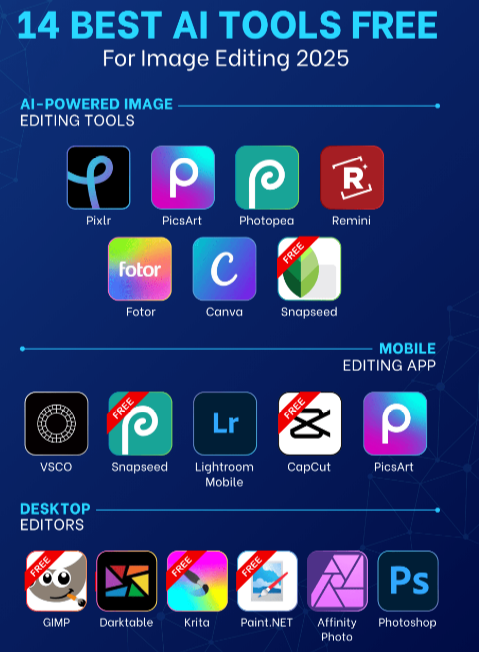
Whether you’re creating social media graphics, editing photos for a project, or designing visuals for a blog, free image editing tools make your work easier without needing expensive software. These online tools help you crop, resize, retouch, add text, apply filters, and create stunning visuals—all from your browser. Here’s a clear list of useful free image editing tools and how to get the most out of them.
What Are Free Image Editing Tools?
Free image editing tools are web-based platforms or apps that let you edit and enhance images without installing paid software. They’re perfect for beginners, students, creators, and small businesses on a budget.
Top Free Image Editing Tools
- Canva – Canva is one of the most popular free design tools. Even with the free plan, you get access to tons of templates, fonts, icons, and editing features. Best for social media graphics, posters, thumbnails, and presentations. Key features include drag-and-drop editing, pre-made templates, resizing designs for different platforms, and adding text, stickers, and effects. It is a great all-around tool for beginners and non-designers.
- Photopea – Photopea looks and works like advanced photo editors but runs entirely in your browser. It is best for Photoshop-style editing without paying. Key features include layers, masks, blending modes, support for PSD, XCF, and Sketch files, plus advanced selection and retouch tools. It is the best choice if you want full-featured editing without installing software.
- Pixlr – Pixlr offers both simple and advanced editors depending on your experience. It is best for quick edits and professional adjustments. Key features include two modes (Pixlr X for easy editing and Pixlr E for advanced editing), filters and effects, background remover, and text overlays. It is a flexible tool for both beginners and intermediate users.
- Fotor – Fotor is perfect for simple edits like color correction and filters. It is best for photo enhancements and simple designs. Key features include one-click filters, beauty and portrait retouch tools, collage maker, and basic design templates. It is ideal for beginners who want fast results.
- Remove.bg – Remove.bg is a specialized tool that instantly removes backgrounds from images. It is best for product photos and cutouts. Key features include AI-powered background removal, transparent image output, and easy drag-and-drop functionality. It is excellent for creating product mockups and clean visuals.
Tips for Using Free Image Editing Tools
Start with templates if you’re not confident designing from scratch. Use high-quality source images for the best results. Save edits in PNG format for transparency and JPG for smaller file sizes. Combine tools by editing in one platform and designing in another. Keep designs consistent with fonts and colors to maintain a professional look.
Common Editing Tasks You Can Do
You can crop and resize images for social posts, add text overlays and branding, remove backgrounds, apply filters and effects, create thumbnails, logos, and posters, and touch up portraits and photos.
FAQs About Free Image Editing Tools
Do these tools require an account? Most tools allow basic editing without signing up, but creating a free account may unlock more features.
Are free tools good for professional designs? Yes, tools like Canva and Photopea offer powerful features that are suitable for both beginners and serious designers.
Can I use these tools on mobile? Many of them have mobile-friendly versions or apps that allow editing on the go.
Will my edits be watermarked? Most free tools do not add watermarks, but some premium features may require payment.
Are these tools safe to use? Reputable tools use secure connections, but avoid uploading sensitive images to unknown platforms.
Final Words
Free image editing tools give you the power to create stunning visuals without paying for expensive software. Whether it’s simple photo touch-ups or full graphic design work, tools like Canva, Photopea, and Pixlr cover all your needs. With a little practice, you can create professional-looking images quickly and easily, even if you are a complete beginner.