Ultrabook vs budget laptops for professionals
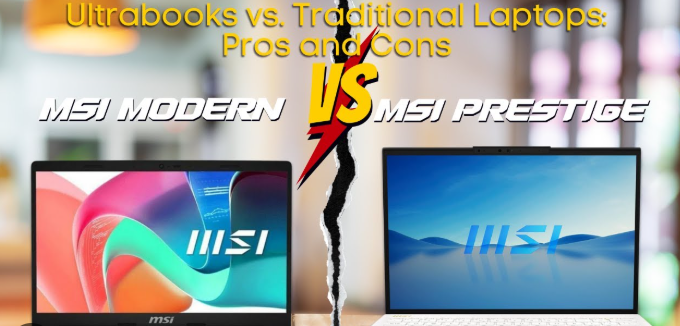
Choosing the right laptop in 2026 can be tricky, especially when deciding between an Ultrabook and a Budget Laptop. Ultrabooks are thin, lightweight, and powerful laptops designed for portability and long battery life. Budget laptops are affordable options that provide basic performance for everyday tasks. Both have advantages depending on your needs, budget, and usage. This guide compares them in detail to help you make the right choice.
What Is an Ultrabook?
Ultrabooks are premium laptops that focus on lightweight design, performance, and long battery life. They often feature fast processors, SSD storage, high-resolution displays, and premium build materials. Ultrabooks are ideal for students, professionals, and anyone who needs a laptop for work, study, or content creation on the go.
What Is a Budget Laptop?
Budget laptops are affordable laptops made for general tasks such as browsing, watching videos, working on documents, or light coding. They usually have mid-range processors, smaller RAM, and slower storage compared to Ultrabooks. Budget laptops are perfect for students or casual users who need a laptop without spending a lot of money.
Ultrabook vs Budget Laptop: Key Differences
| Feature | Ultrabook | Budget Laptop | Notes / Best Use |
|---|---|---|---|
| Processor (CPU) | Intel Core i5/i7 14th Gen, AMD Ryzen 5/7 | Intel Core i3/i5, AMD Ryzen 3/5 | Ultrabooks have faster CPUs for multitasking |
| RAM | 8GB – 16GB | 4GB – 8GB | More RAM in Ultrabooks allows smooth multitasking |
| Storage | 256GB – 1TB SSD | 128GB – 512GB SSD / HDD | Ultrabooks use SSDs for faster speed |
| Display | Full HD / 2K, higher brightness | HD / Full HD, lower brightness | Ultrabooks have sharper, brighter displays |
| Graphics | Integrated Intel/AMD GPU | Integrated GPU, minimal gaming | Ultrabooks handle light graphics work; budget laptops are basic |
| Battery Life | 10–18 hours | 4–8 hours | Ultrabooks last longer for all-day use |
| Weight & Portability | 1–1.5 kg, slim design | 1.5–2.5 kg, thicker | Ultrabooks are easier to carry daily |
| Build Quality | Premium aluminum or magnesium | Plastic, less durable | Ultrabooks feel premium and last longer |
| Ports & Connectivity | USB-C, USB-A, Thunderbolt (limited) | USB-A, USB-C, HDMI | Budget laptops offer more variety of ports |
| Operating System | Windows 12 or macOS (for MacBook Air/Pro) | Windows 12 | Both can run daily apps, but Ultrabooks offer better optimization |
| Price Range | $900 – $2,500+ | $300 – $800 | Budget laptops are cheaper, Ultrabooks are premium |
| Best For | Students, professionals, content creators, frequent travelers | Casual users, students, basic work, browsing | Choose Ultrabook for power & portability, budget laptop for affordability |
Advantages of Ultrabook
- Lightweight and portable for travel or school
- High performance for multitasking, coding, and creative work
- Long battery life for full-day use without charging
- Premium build quality for durability
- Faster storage and display for productivity
Advantages of Budget Laptops
- Affordable and easy to buy
- Good for browsing, online classes, and document work
- More ports in some models for connecting devices
- Simple to use for casual tasks
- Ideal for students or first-time laptop buyers
Tips for Choosing Between Ultrabook and Budget Laptop
- Choose an Ultrabook if you travel often, need long battery life, or work on heavy tasks like coding, video editing, or design.
- Choose a Budget Laptop if you only need basic tasks like browsing, word processing, and online learning.
- Check RAM and storage to ensure smooth performance for your needs.
- Consider portability and weight if you carry your laptop every day.
- Compare price vs features to get the best value for your budget.
Frequently Asked Questions (FAQ)
Which is better for students?
Ultrabooks are better for students who need performance and portability, while budget laptops are fine for basic schoolwork.
Can budget laptops run modern software?
Yes, for basic apps like MS Office, browsers, and Zoom, but they may struggle with heavy software like video editing tools.
Do Ultrabooks last longer than budget laptops?
Yes, premium build and hardware make Ultrabooks more durable and longer-lasting.
Are Ultrabooks good for gaming?
Ultrabooks can handle light games, but they are not designed for high-end gaming.
Is a budget laptop good for online classes?
Yes, budget laptops are sufficient for video calls, assignments, and internet browsing.
Which has better battery life?
Ultrabooks generally last longer, up to 18 hours, while budget laptops last around 4–8 hours.
Can I upgrade Ultrabooks or budget laptops?
Most Ultrabooks have limited upgrades. Some budget laptops allow RAM or storage upgrades depending on the model.
Conclusion
In 2026, choosing between an Ultrabook and a Budget Laptop depends on your needs, budget, and daily usage. Ultrabooks are perfect for students, professionals, and creators who value performance, portability, and long battery life. Budget laptops are excellent for casual users, beginners, and those who need an affordable device for basic tasks. Understanding the differences ensures you pick the laptop that matches your lifestyle while getting the best value for your money.