iOS 17 Hidden Features You Should Know
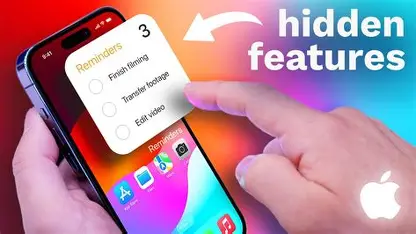
Apple’s iOS 17 brings a range of hidden features that make iPhones smarter, faster, and more intuitive. Beyond the major updates, these subtle tricks improve productivity, personalization, and user experience. Whether you are using an iPhone for work, gaming, or daily life, exploring these features can help you get the most out of your device.
1. StandBy Mode
iOS 17 introduces StandBy, turning your iPhone into a full-screen information hub when charging in landscape mode. It shows clocks, widgets, photos, and Live Activities, making it a smart bedside display or desk companion.
2. Contact Posters
You can now customize how your contacts appear when calling someone. Set a personalized photo, font, or background color in Contacts > Edit > Poster to make every call visually unique.
3. Live Voicemail
Missed calls are easier to handle with Live Voicemail. Callers can leave a real-time transcript of their message as they speak, so you can read it instantly without answering the call.
4. Improved FaceTime Reactions
iOS 17 adds FaceTime reactions like Tapback and emoji animations. You can react during live video calls with fun and interactive responses, making conversations more expressive.
5. NameDrop in AirDrop
Share your contact information easily with NameDrop. Simply bring two iPhones close together via AirDrop to exchange contact details without typing. It works seamlessly for networking or social situations.
6. Stickers Everywhere
iOS 17 allows stickers integration in Messages, Mail, and FaceTime, including Live Stickers created from your photos. You can customize your conversations with animated expressions or personal images.
7. Check In Feature
For safety and convenience, the Check In feature automatically notifies a loved one when you reach your destination. If you don’t arrive on time, it shares your location and battery level for safety.
8. Improved Dictation and Voice Messages
Dictation is smarter in iOS 17, combining keyboard input with voice seamlessly. You can type and dictate simultaneously without interrupting your workflow. Voice messages are also easier to send and transcribe in real-time.
9. Journal App
iOS 17 introduces a native Journal app that encourages daily reflection. It supports prompts, photo attachments, and integration with health and activity data to help you track habits and moods.
10. AirPods Call Detection
iOS 17 adds automatic call detection for AirPods. Your AirPods can announce incoming calls and let you answer or decline without touching your phone.
FAQ: iOS 17 Hidden Features
Q1: Are StandBy and NameDrop available on all iPhones?
Some features like StandBy require iPhone 14 or later models, while NameDrop works on devices with AirDrop support.
Q2: Can I create my own Live Stickers?
Yes, iOS 17 allows you to turn your photos into animated Live Stickers for use across Messages, Mail, and FaceTime.
Q3: How does Check In improve safety?
Check In automatically notifies a trusted contact when you arrive safely or alerts them with location data if you are delayed.
Q4: Is the Journal app free?
Yes, the Journal app is native to iOS 17 and free for all supported devices.
Q5: Can iOS 17 features work offline?
Some features like dictation require internet for transcription, but most personalization, Stickers, and StandBy functions work offline.
Exploring these hidden iOS 17 features can enhance your iPhone experience, making it more functional, personalized, and secure.